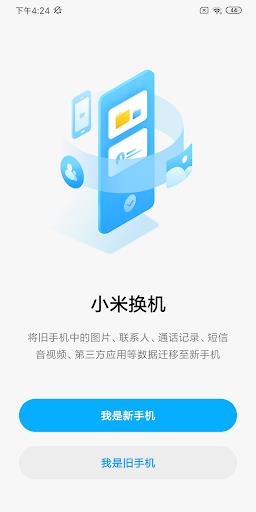
Mi Mover is a straightforward data migration tool designed to help people move their information to a new Xiaomi phone with minimal fuss. The app focuses on making the switch painless by letting users transfer content wirelessly from Android or iOS devices into a Xiaomi handset. Because it uses a direct hotspot connection between phones, Mi Mover removes the need for cables and complicated backups, which is appealing for anyone setting up a new device quickly. It handles a wide range of file types and emphasizes speed and privacy so users can get started on their new phone without enduring long waits or worrying about data leaks.
Core Functions
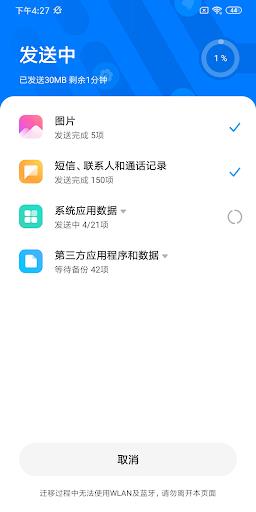
Mi Mover facilitates full-device migration to Xiaomi phones by connecting two devices over a hotspot and moving data directly between them. The app supports migrating text messages, call records, photos, videos, music, documents and other files from both Android and iOS sources. Its core purpose is to replicate essential personal data on a new Xiaomi handset without intermediate storage or cables, keeping the transfer process local to the two devices for simplicity and control.
Key Features
Mi Mover stands out for its cable-free transfers, relying solely on a wireless hotspot to move data. It supports a broad range of content types so common items like messages, media and documents are preserved during the switch. The app is described as fast and stable, minimizing interruptions during large transfers, and it’s designed to keep data off third-party servers to reduce privacy concerns. The focus on a direct device-to-device link simplifies setup and reduces potential points of failure.
User Experience
Using Mi Mover is aimed to be straightforward: establish the hotspot connection between devices and let the app handle the migration. The emphasis on speed and stability means fewer retries and a smoother setup when you’re unpacking a new Xiaomi phone. For people moving from different mobile platforms, the cross-platform support removes a common pain point, and the local transfer model helps users feel more in control of their personal data during the process.
Conclusion
If you’re switching to a Xiaomi device and want a no-nonsense way to move your messages, media and documents, Mi Mover offers a practical, wireless solution. It keeps transfers local, supports both Android and iOS sources, and prioritizes a quick, stable handoff so you can start using your new phone sooner with the data you need.